How it works
Every screen of a weekly pool ladder in order, for organizers, players and the desk. Read it top to bottom, or jump to a phase.
The screens come from a sample ladder in week 9 of its season, with made-up names.
Organizers
Everything an organizer does, from a new ladder to a settled week. Shown on a laptop; the console works on a phone too.
Set up
6 steps1 Start a ladder
Answer a few questions, one at a time. Already running on a spreadsheet? Say so, pick up at this week, and bring your ranking with you.
swingtosmash.com/organize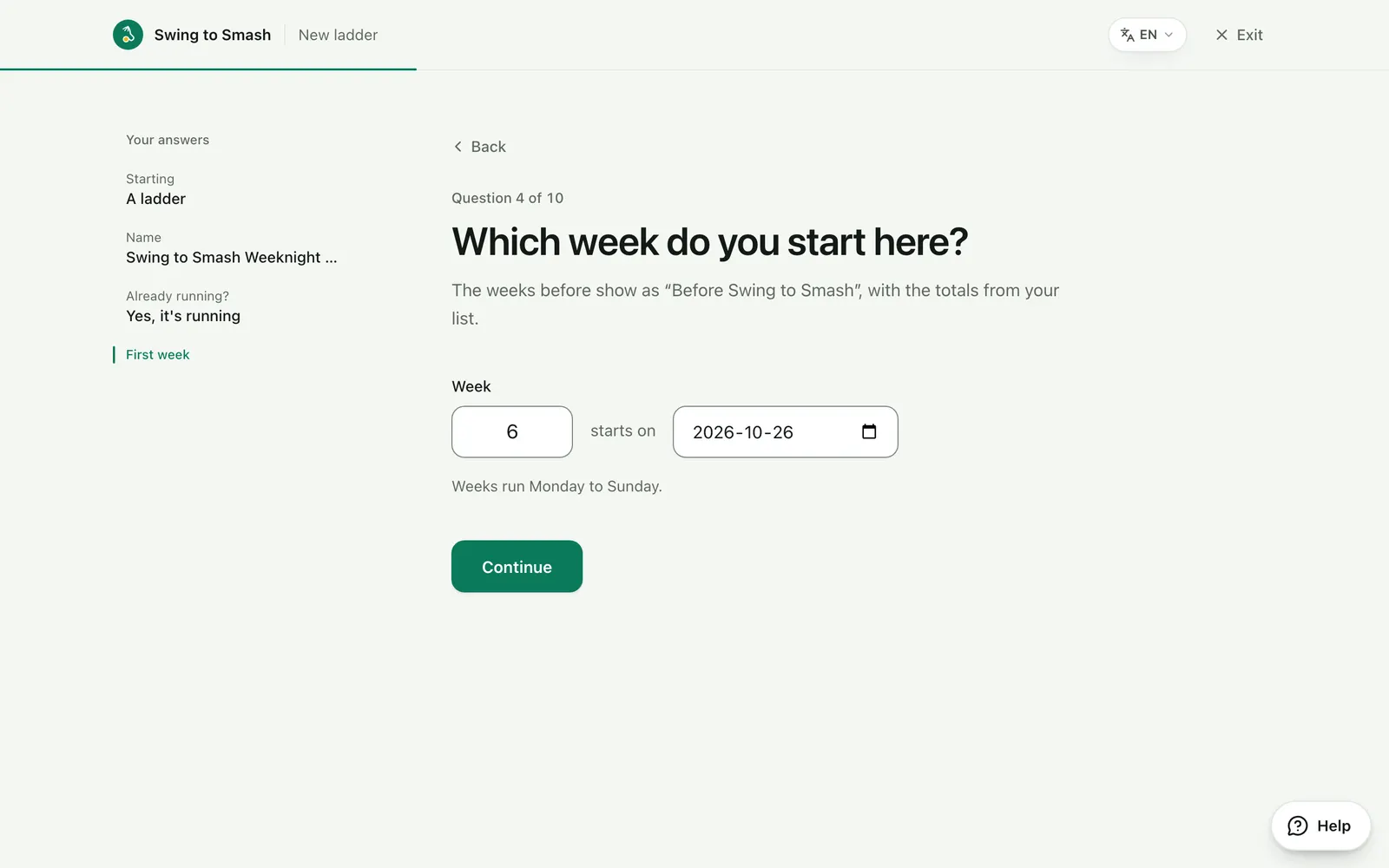
2 Choose the format
Pools of four, ranked one player at a time, with one up and one down each week. Each game is one to 21 by default, or any scoring you like.
swingtosmash.com/admin/ladder/setup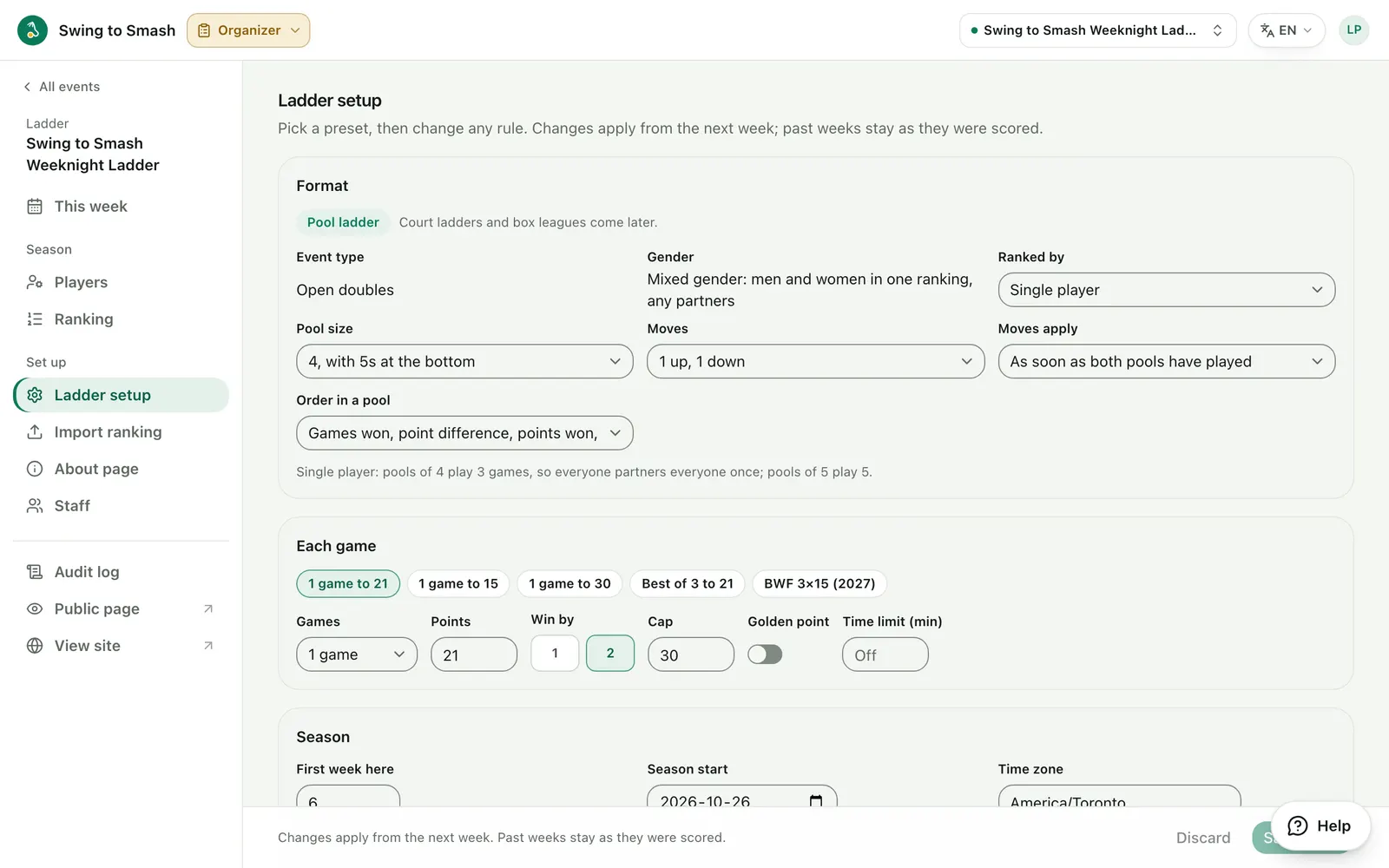
3 Set the pool nights
Each pool gets its usual night, time, court and venue. Then choose who can see the ladder: anyone, only people with the link, or only its players.
swingtosmash.com/admin/ladder/setup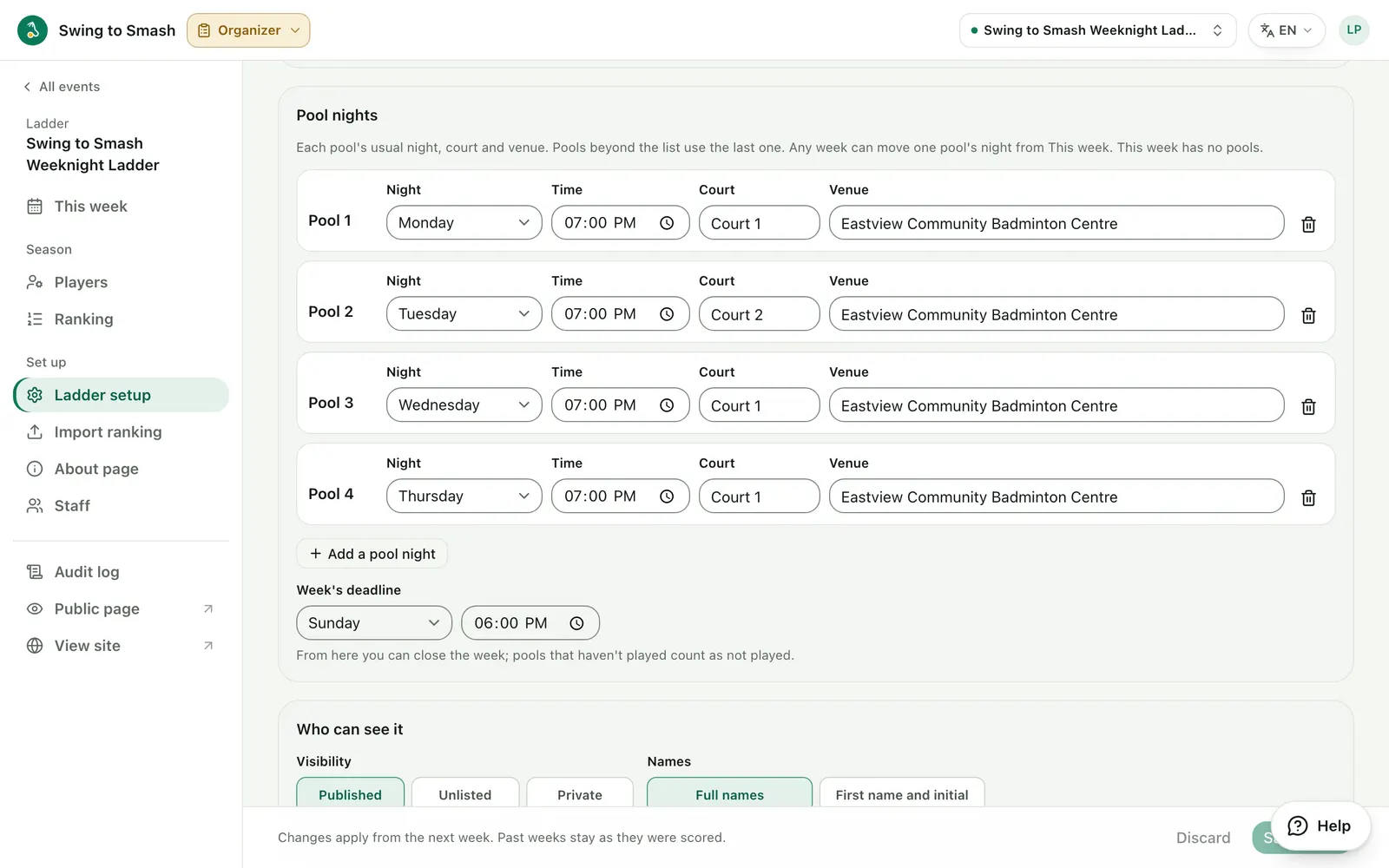
4 Set the rules for absences
What happens when someone is away with notice, doesn't show up, or two stand-ins meet in one pool. Start from a preset and change any rule.
swingtosmash.com/admin/ladder/setup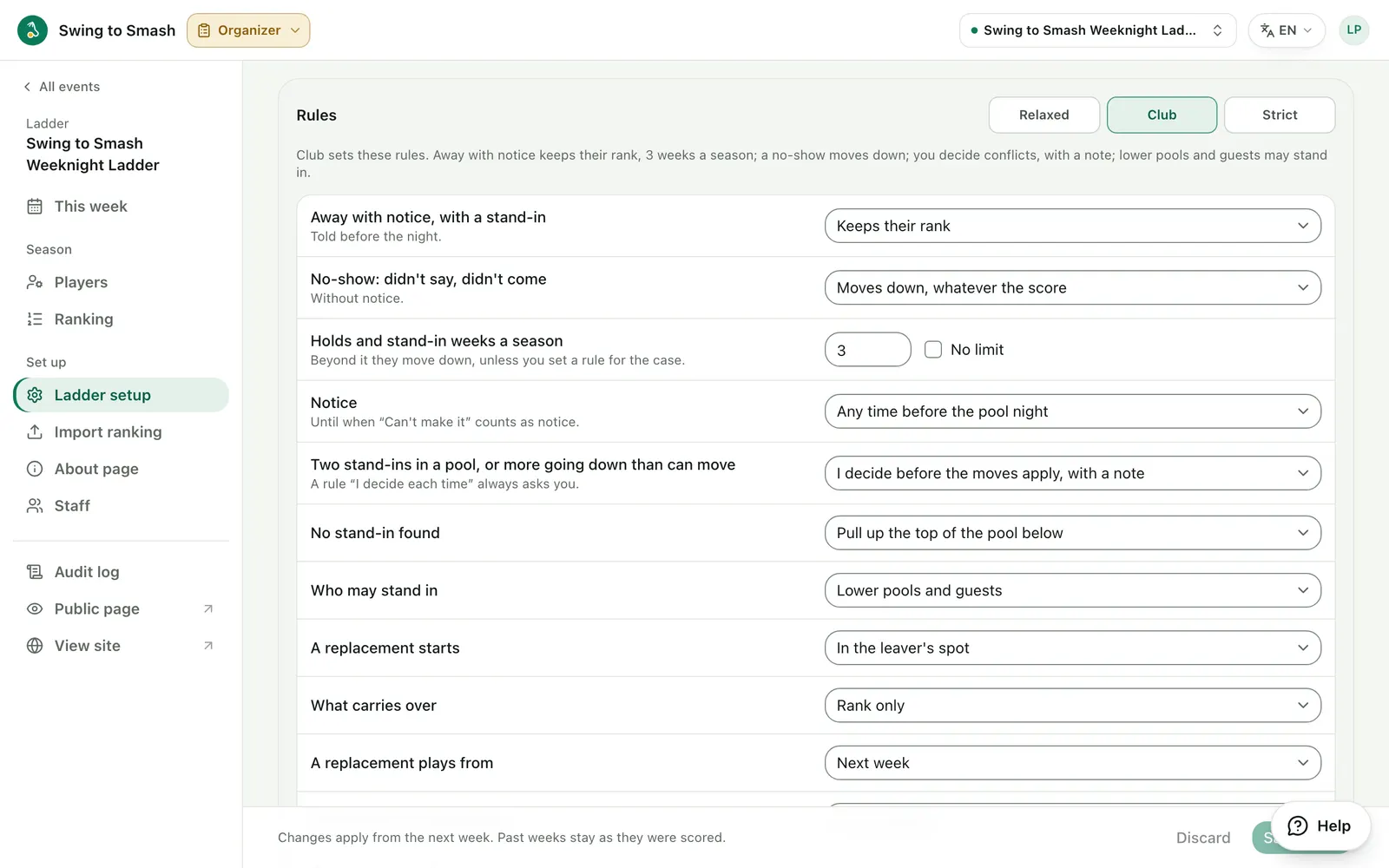
5 Import your ranking
Paste or upload the ranking from your spreadsheet, with each player's totals so far. Every row is checked first: accounts found, invites to send, anything to fix.
swingtosmash.com/admin/ladder/import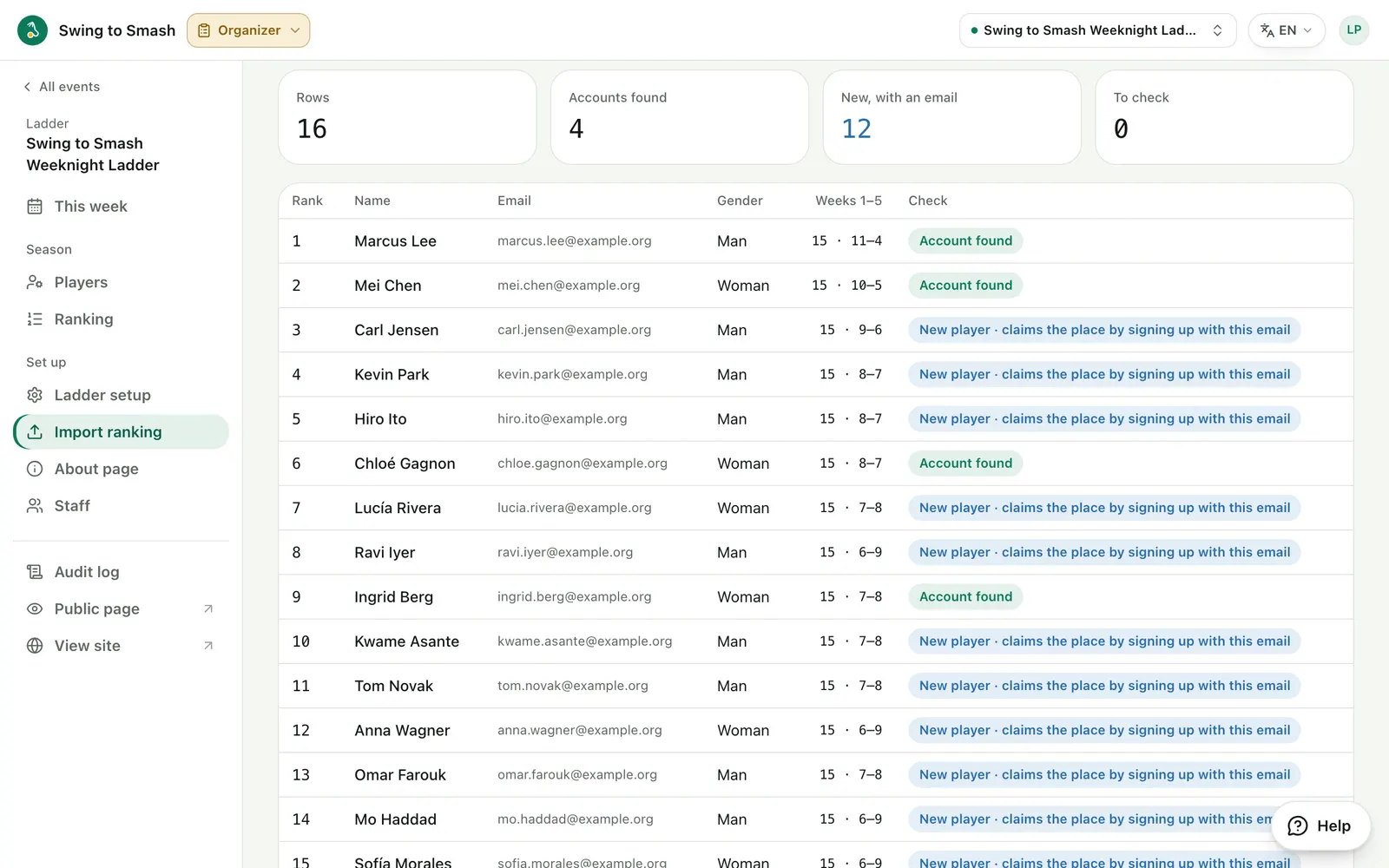
6 Start the season
Check the starting order, pool by pool, and add anyone missing. Then start the season: week 6's pools are cut from this order.
swingtosmash.com/admin/ladder/players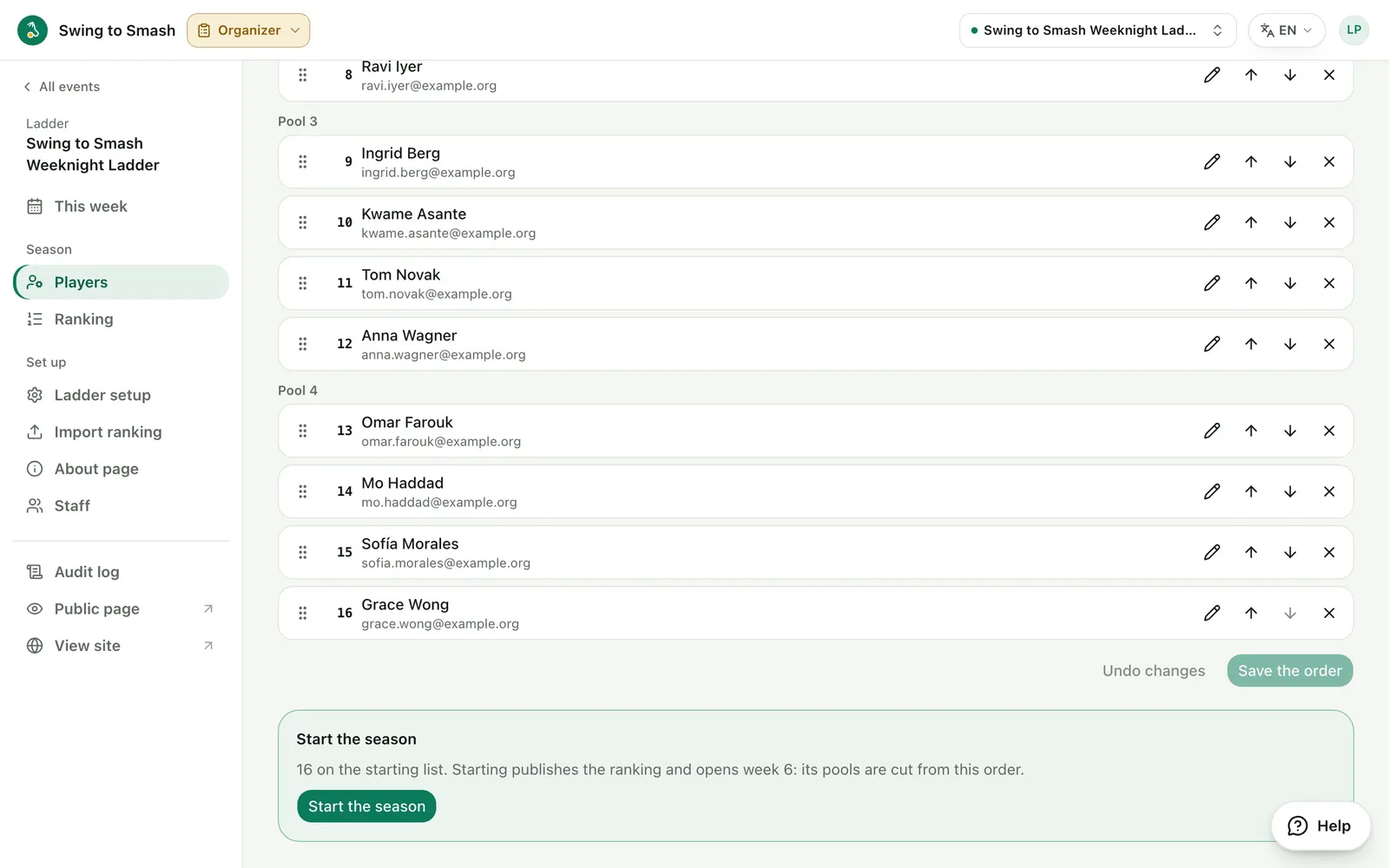
This week
3 steps7 See the week at a glance
Each pool's night and status, who's on hold, the stand-ins found and still needed, and how the moves will apply.
swingtosmash.com/admin/ladder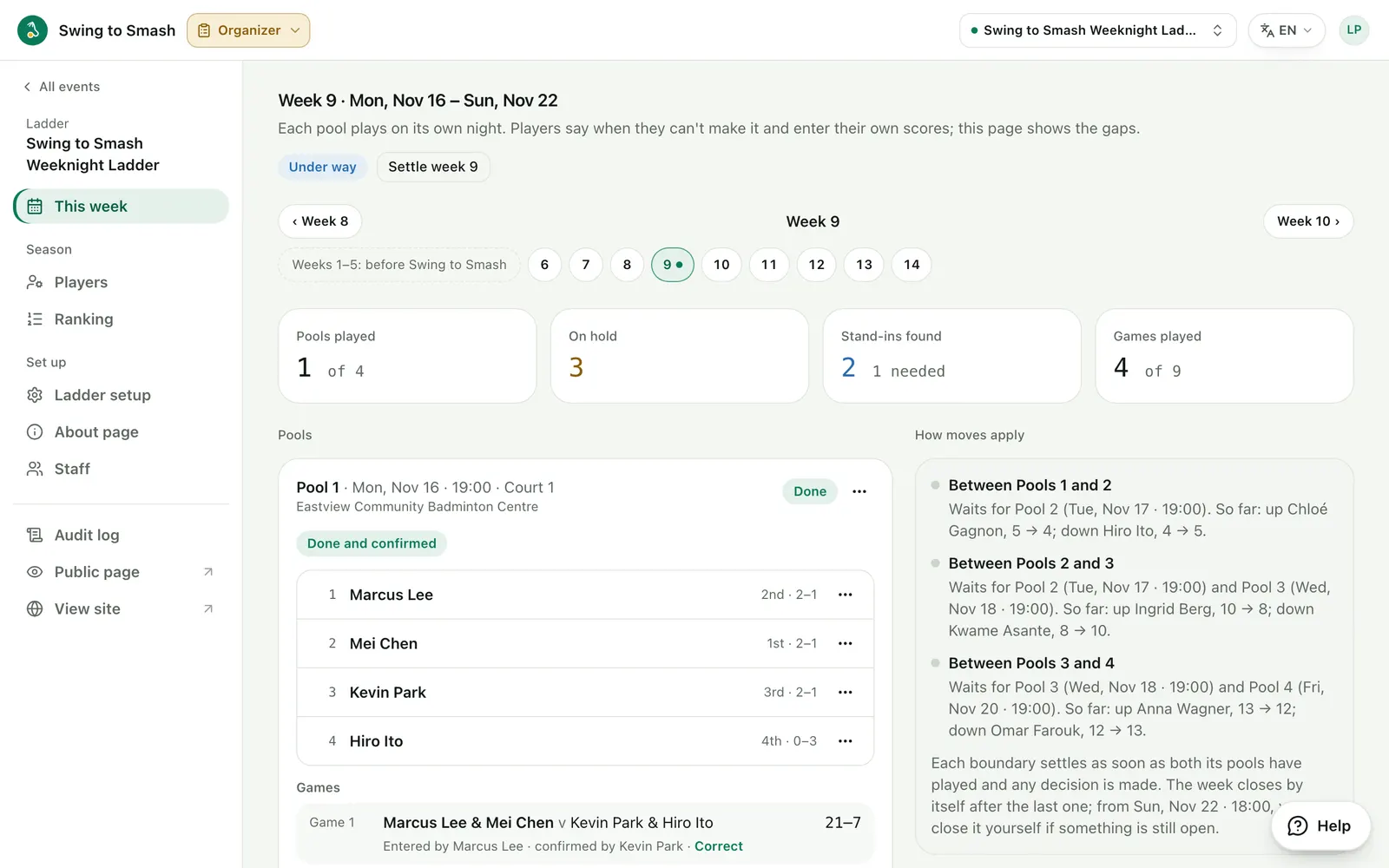
8 Find a stand-in
Someone can't make it? Add a guest, or a player from a lower pool. The ladder's rule applies, unless you change it for this one case.
swingtosmash.com/admin/ladder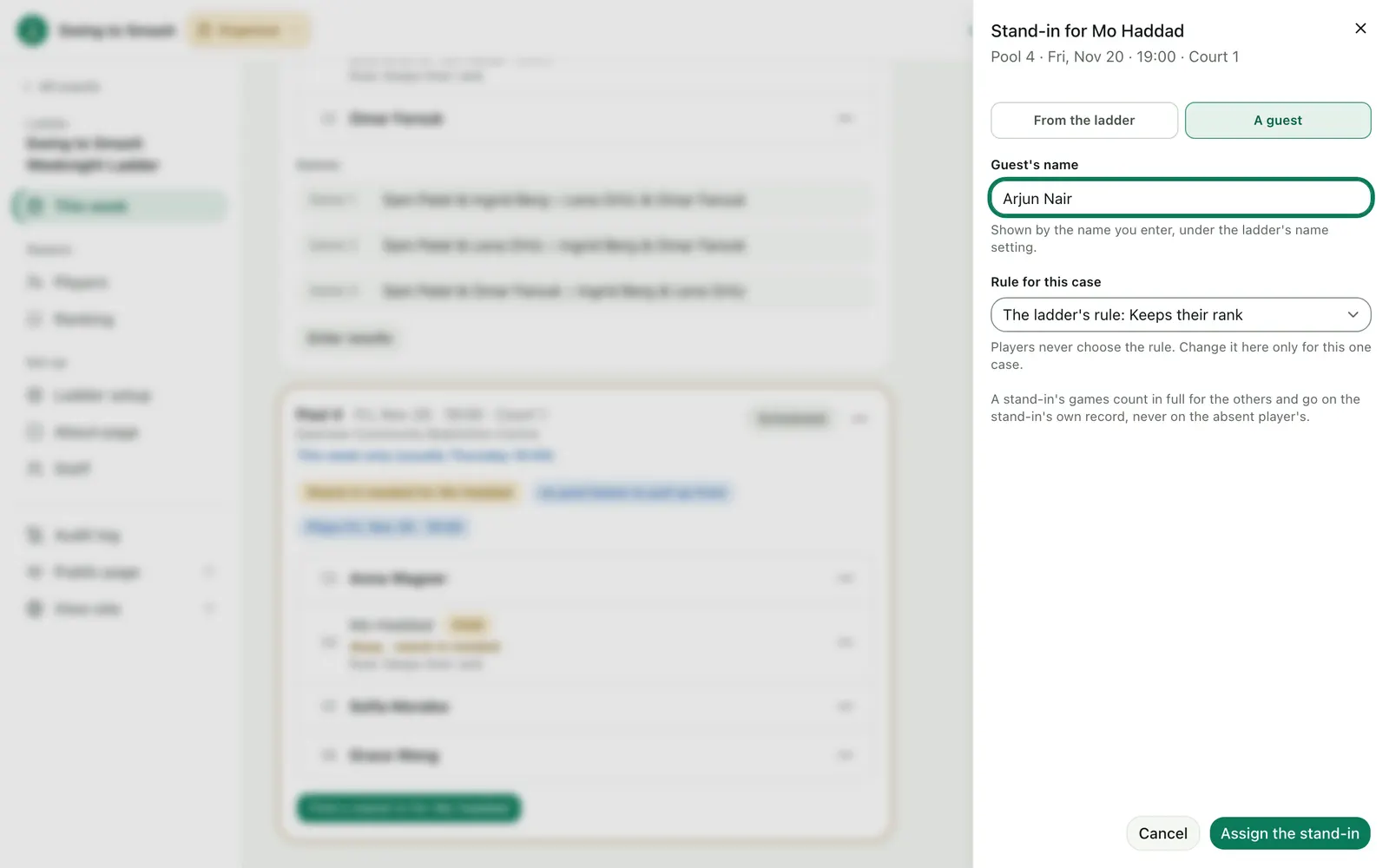
9 Enter or confirm results
Players enter and confirm their own pool's scores. You can confirm them too, type in a whole pool at once, or correct a game.
swingtosmash.com/admin/ladder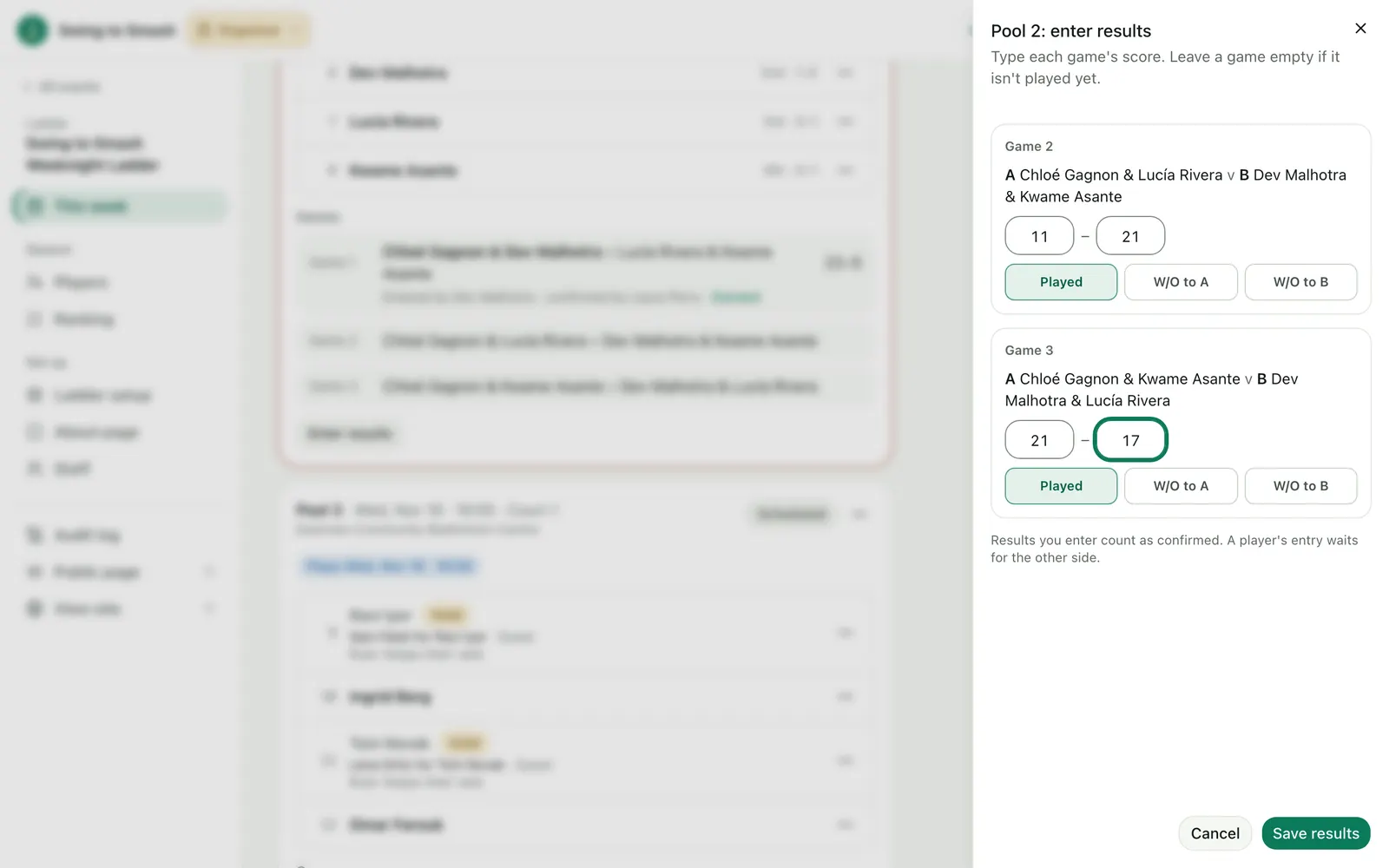
Settle the week
4 steps10 Settle the week
Moves apply between two pools as soon as both have played. When two stand-ins meet in one pool, you decide who goes down, with a note.
swingtosmash.com/admin/ladder/weeks/9/settle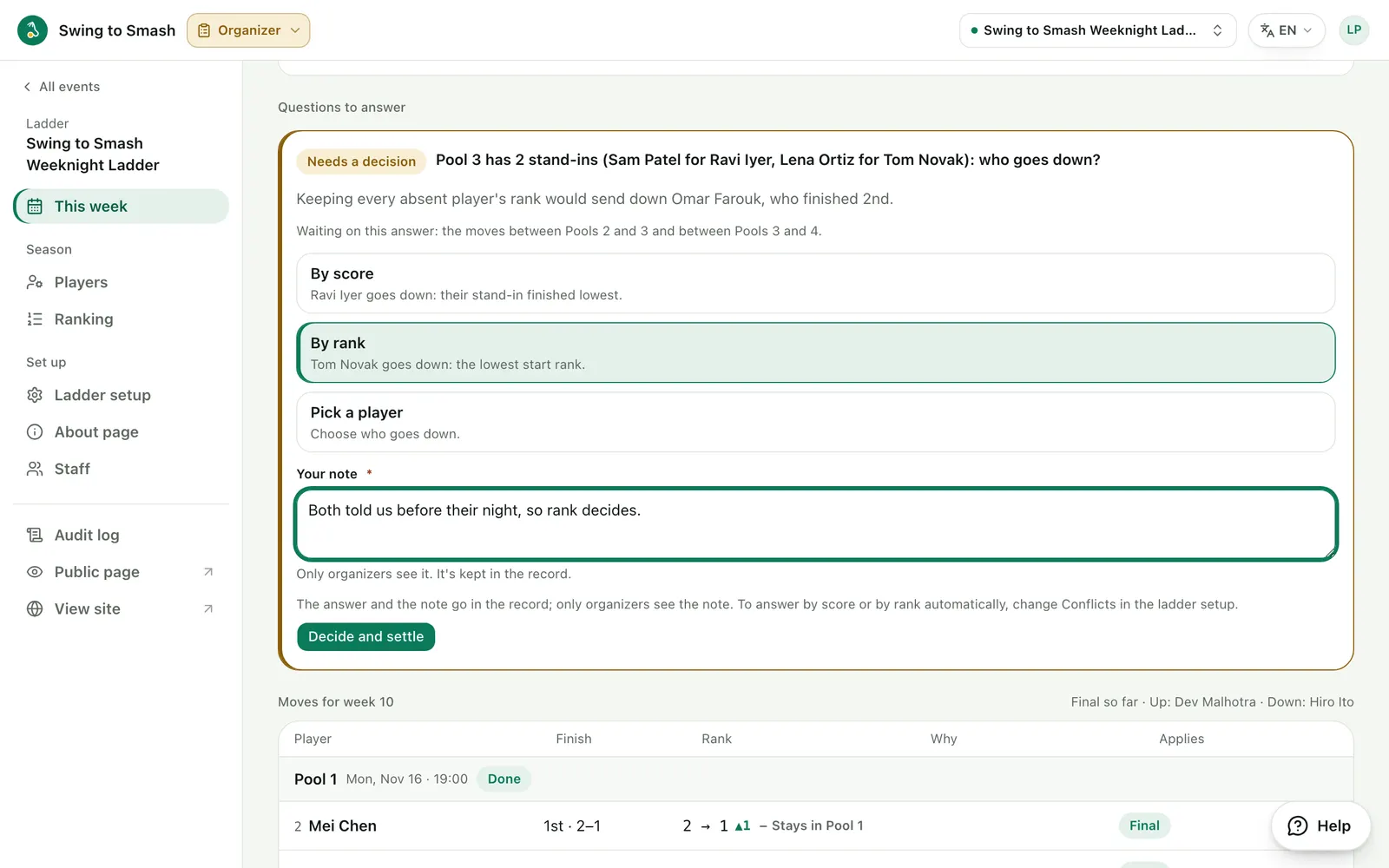
11 The ranking
Next week's ranking, pool by pool, with last week's moves. Ranks change only with the results, and with your overrides when you settle a week.
swingtosmash.com/admin/ladder/board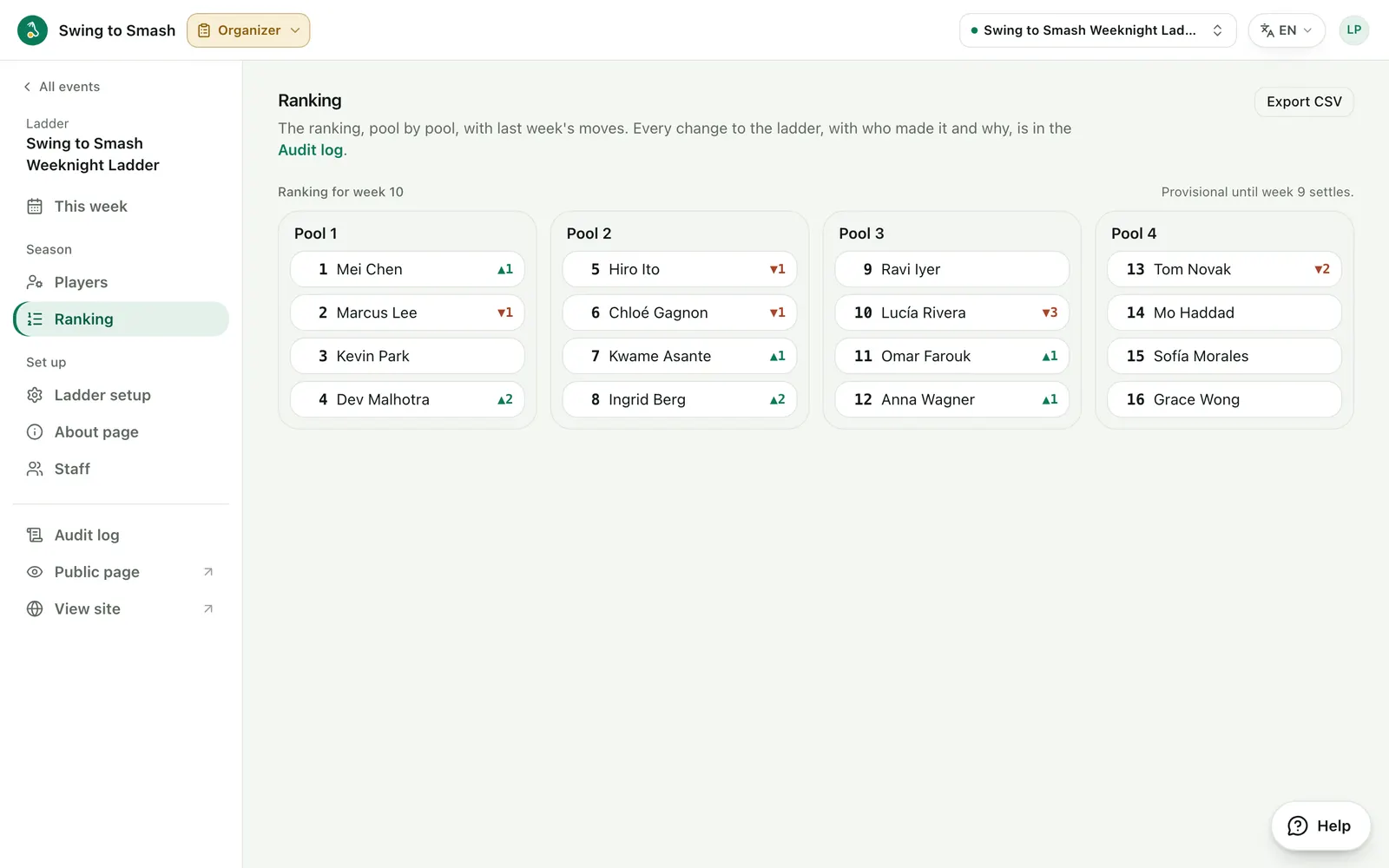
12 Undo any change
The Audit log keeps the ladder's history: every change, newest first, with who made it and why. Undo one, and the ladder replays without it.
swingtosmash.com/admin/audit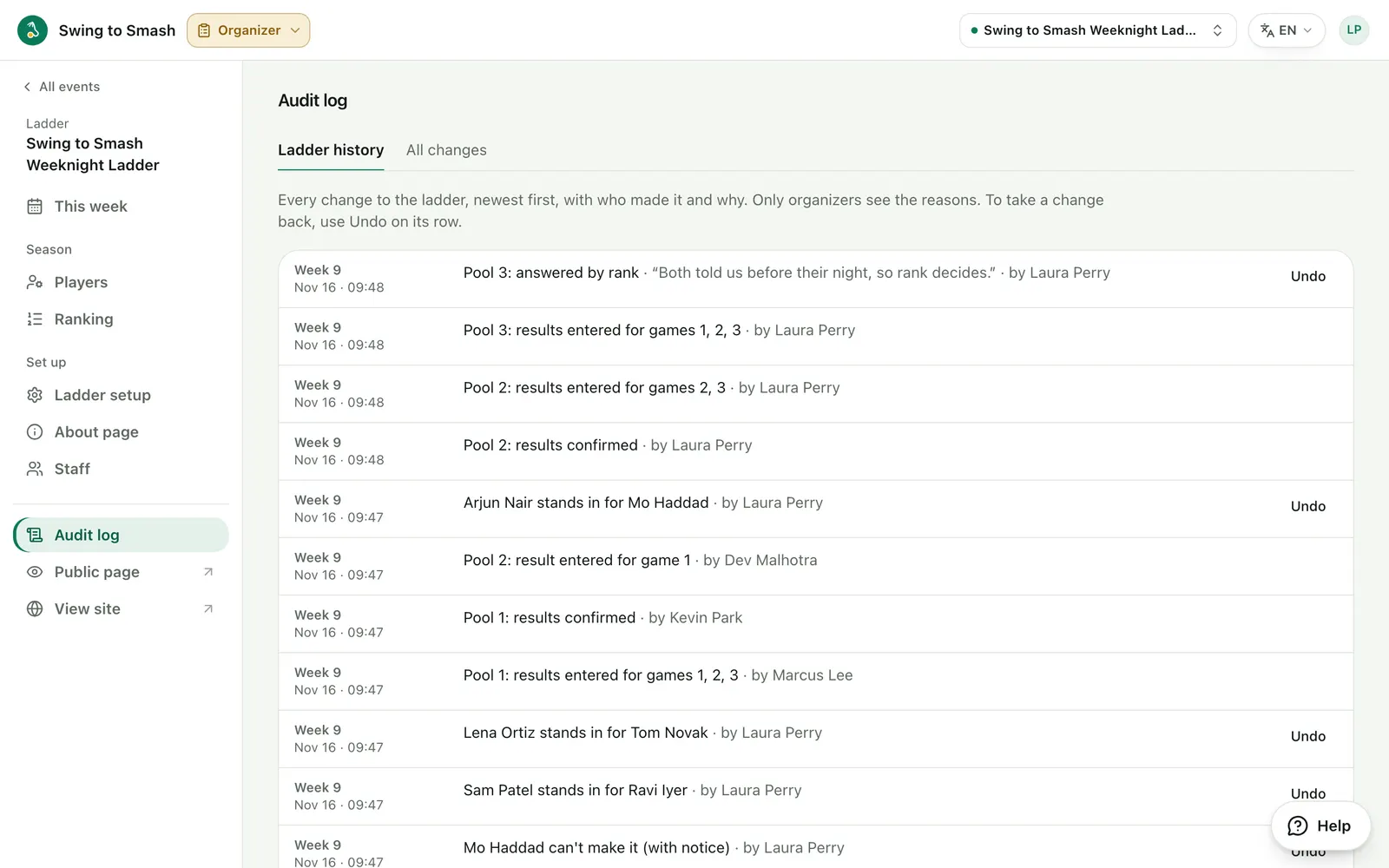
13 Results go live
The week's page shows each pool's finish and who moves up or down, for everyone to see and share.
swingtosmash.com/e/weeknight-ladder/weeks/9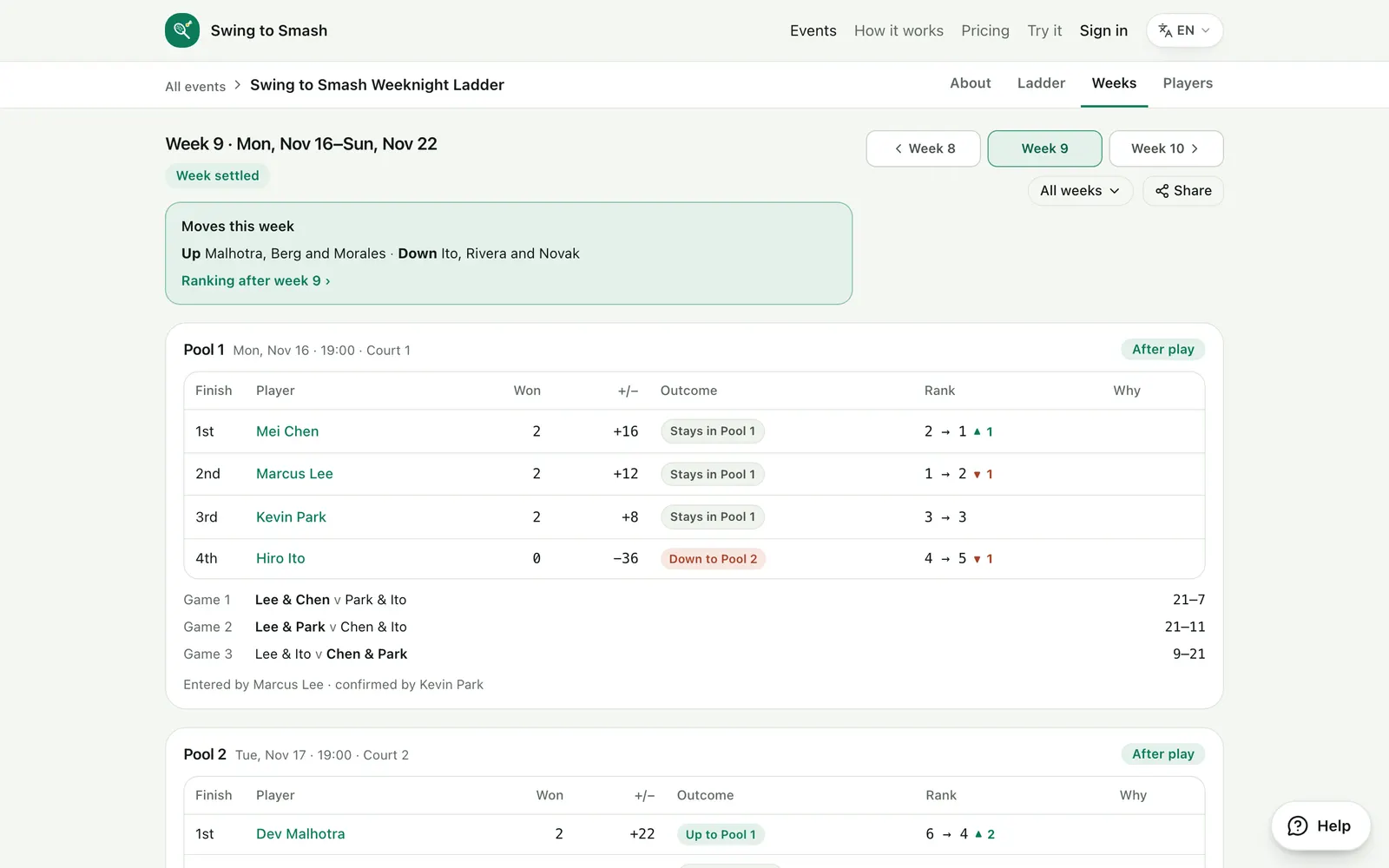
Ready to run your ladder?
Ladders are free for organizers. Bring your ranking from a spreadsheet and start at any week.
Players
What a player sees on their phone, from this week's pool to the season so far.
Your week
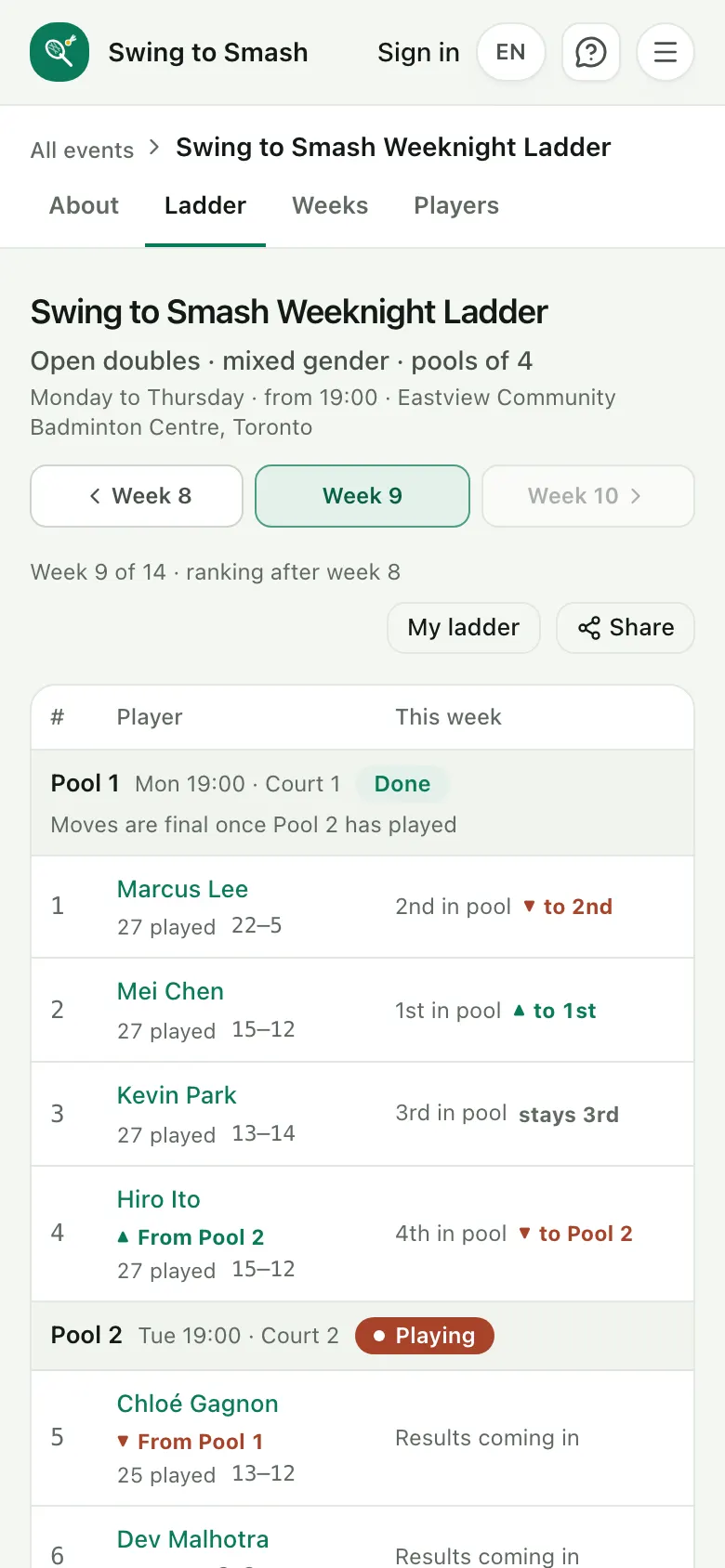
3 steps1 See the ladder
The ranking by pool, with each pool's night and court, last week's moves and how this week is going.
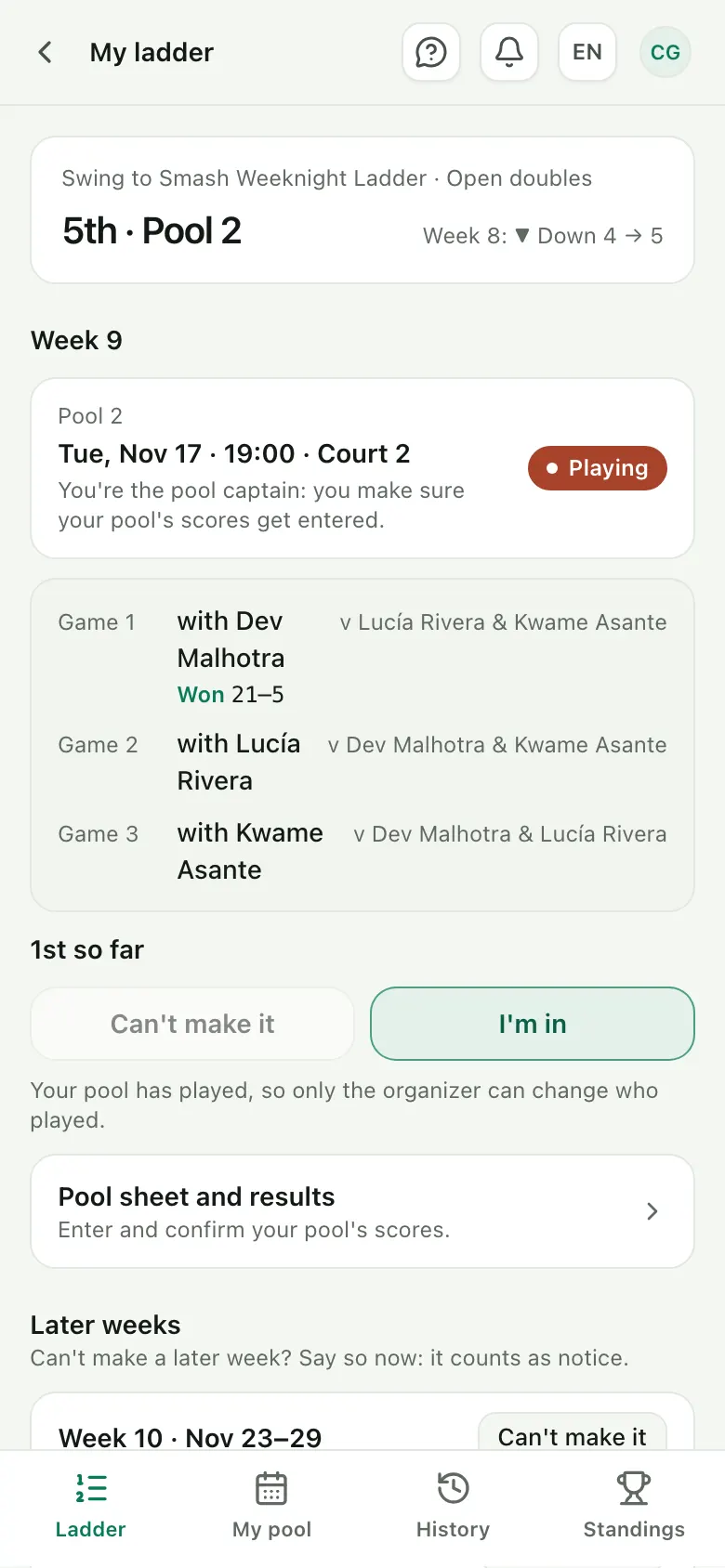
2 Open your ladder
Your rank and pool, this week's night and court, the pool captain and your partner in each game.
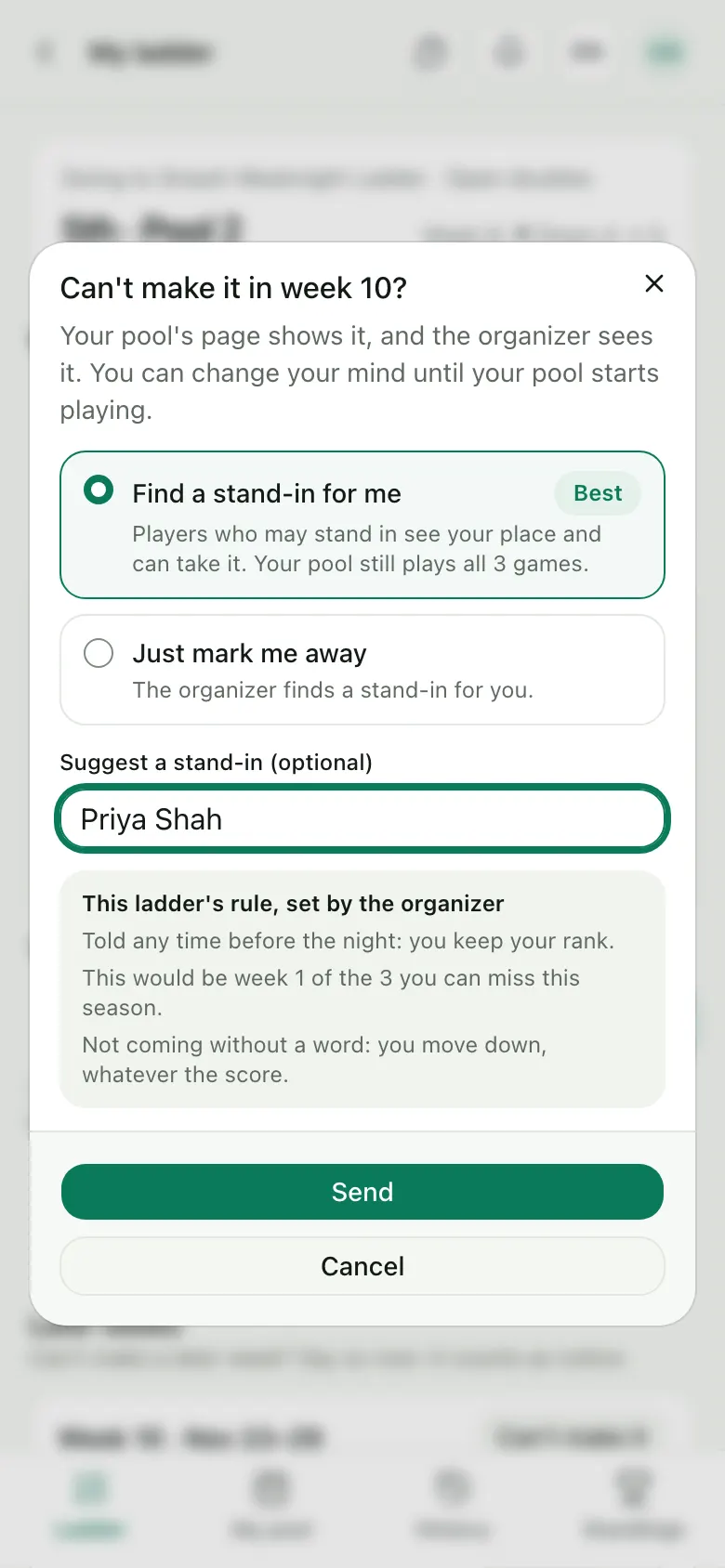
3 Can't make it?
Say so before your pool's night, this week or a later one. You see the organizer's rule, and can suggest a stand-in.
Pool night
2 steps4 Enter the scores
After each game, anyone in the pool types the score on the pool sheet: one game at a time, or the whole sheet at once.
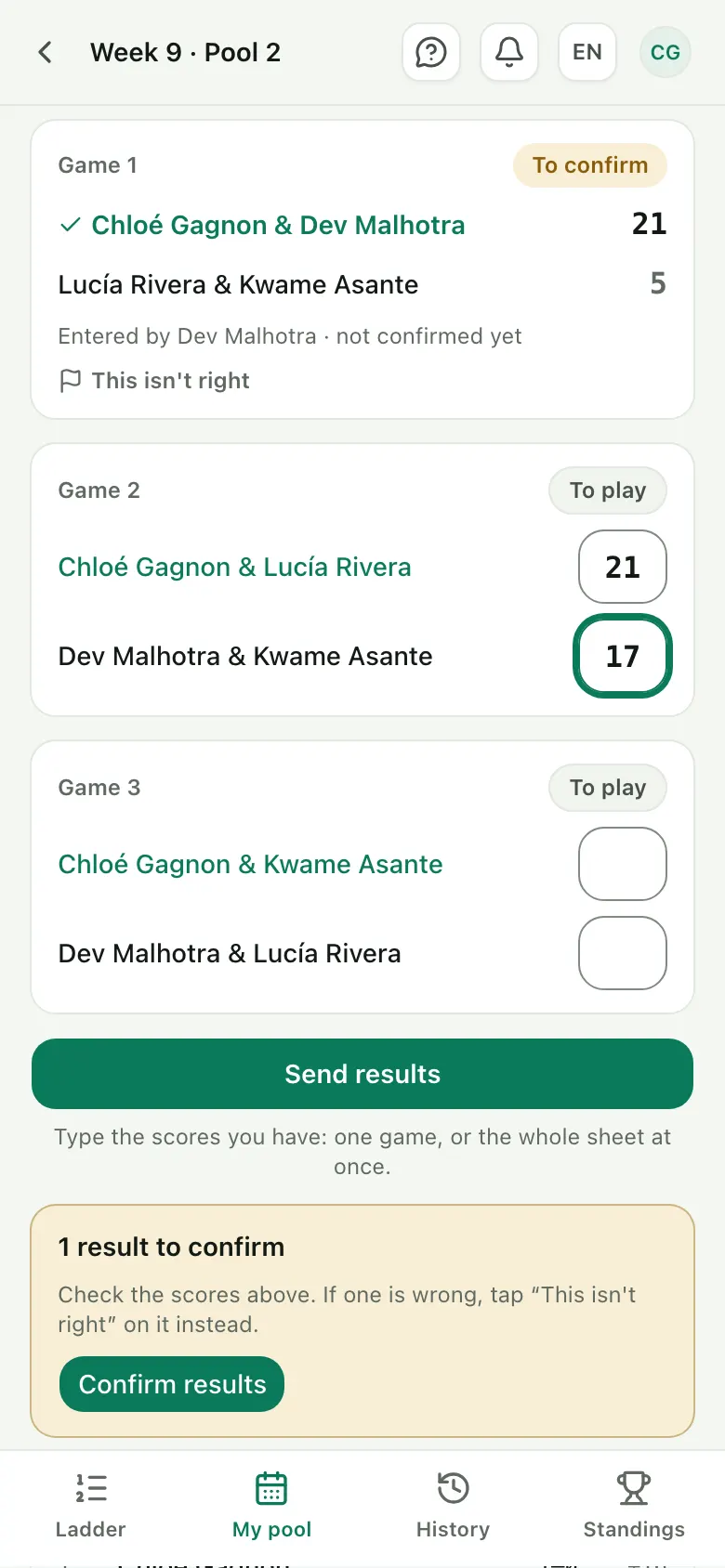
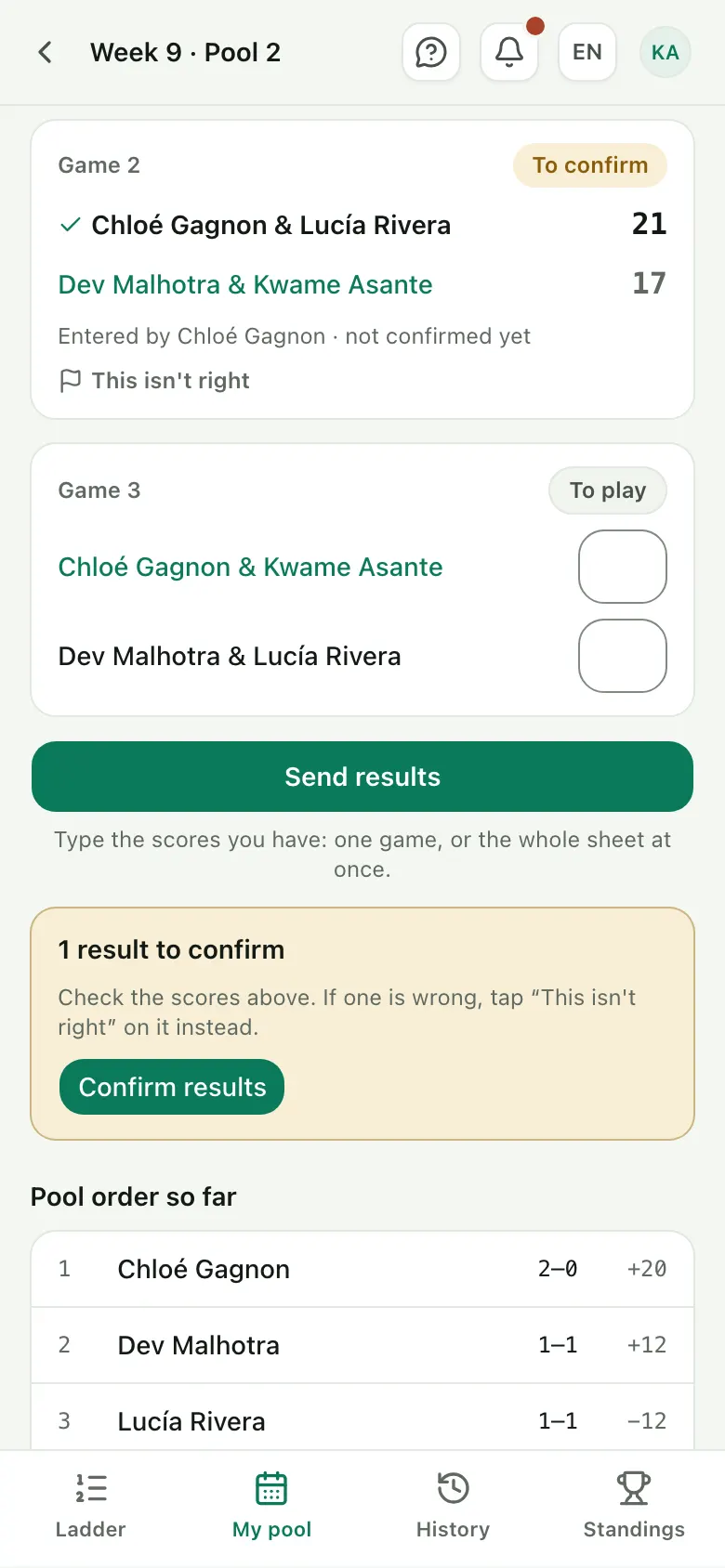
5 Confirm the results
Someone on the other side confirms each score. If one is wrong, “This isn't right” sends it to the organizer.
After the night
3 steps6 See who moves
When your pool is done, the ladder shows where everyone finished and who goes up or down. A move is final once both pools around it have played.
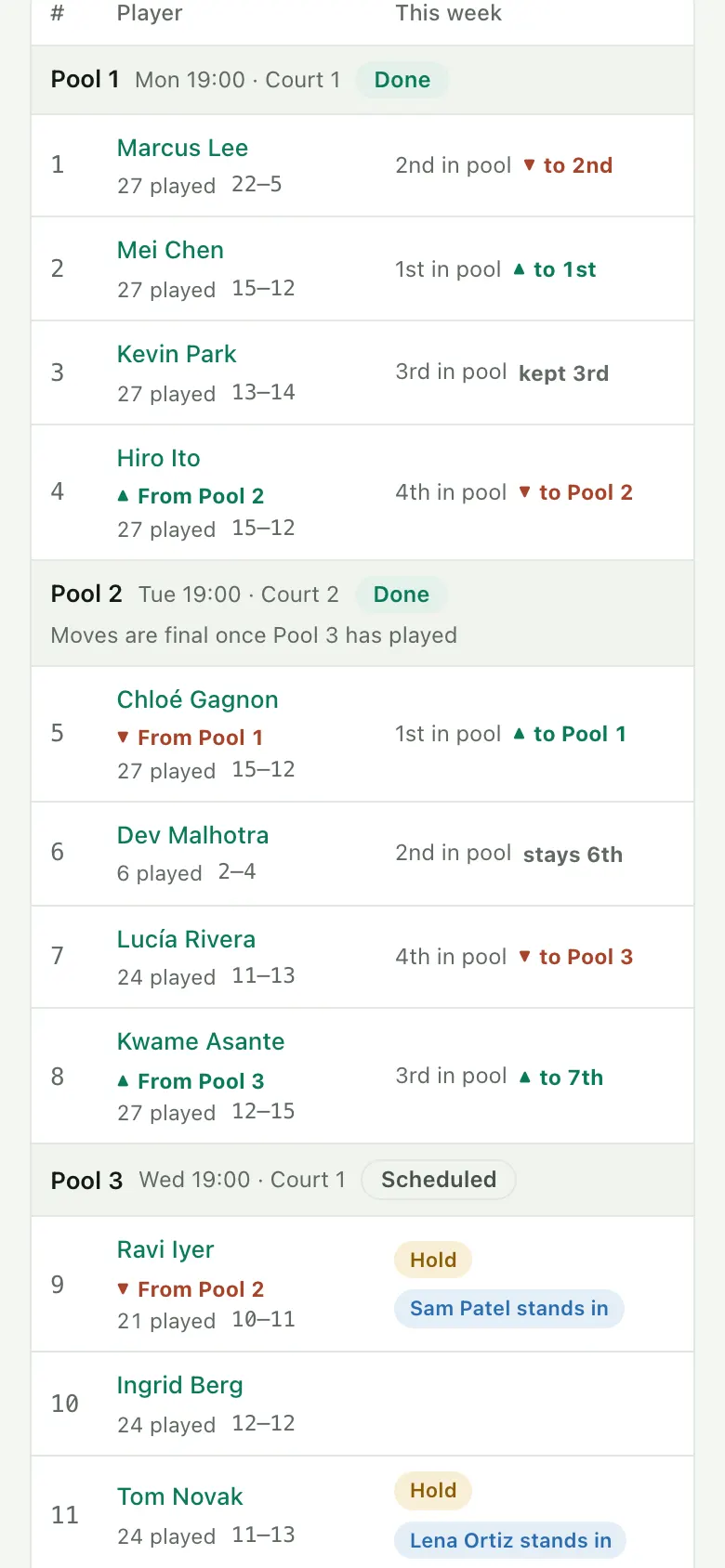
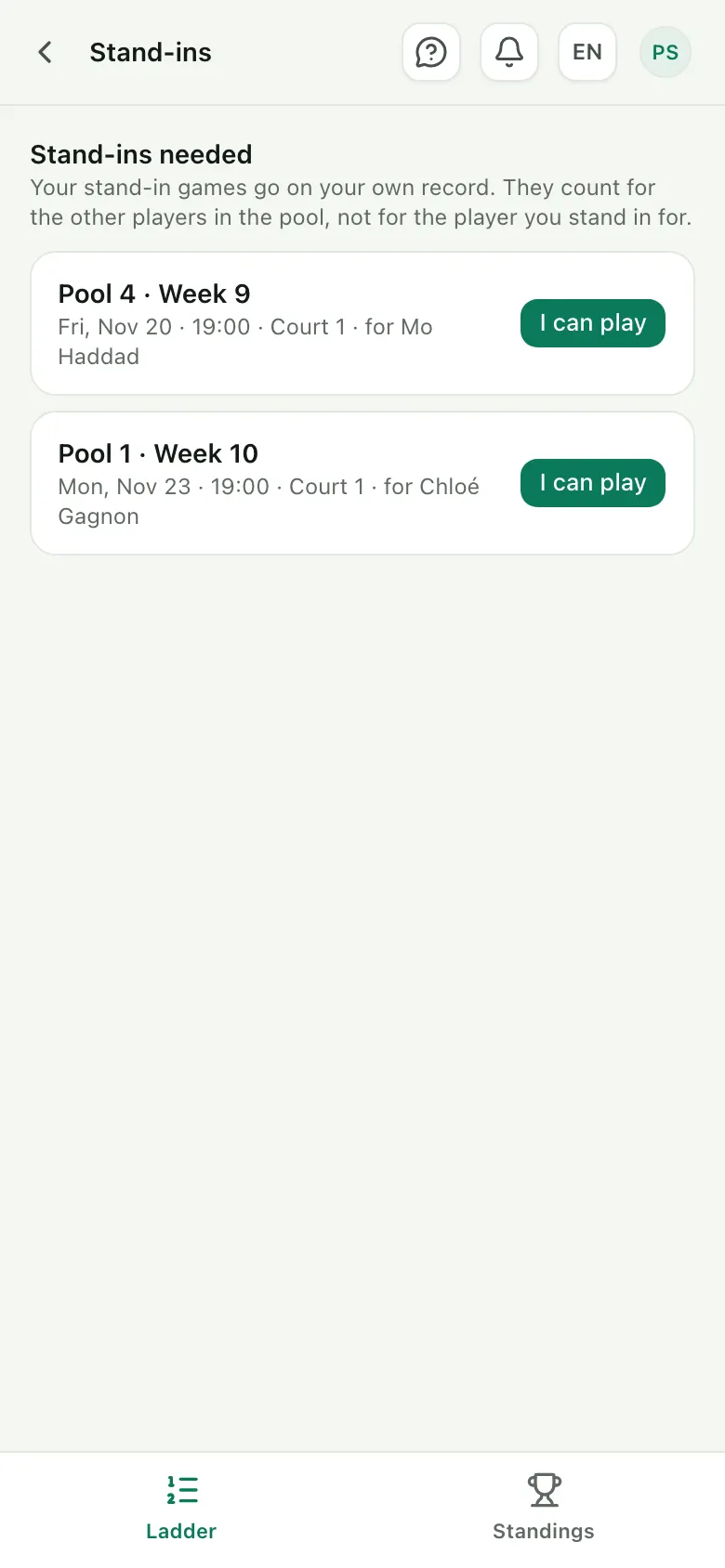
7 Stand in for someone
When a pool is a player short, whoever may stand in sees the request and takes the place with “I can play”.
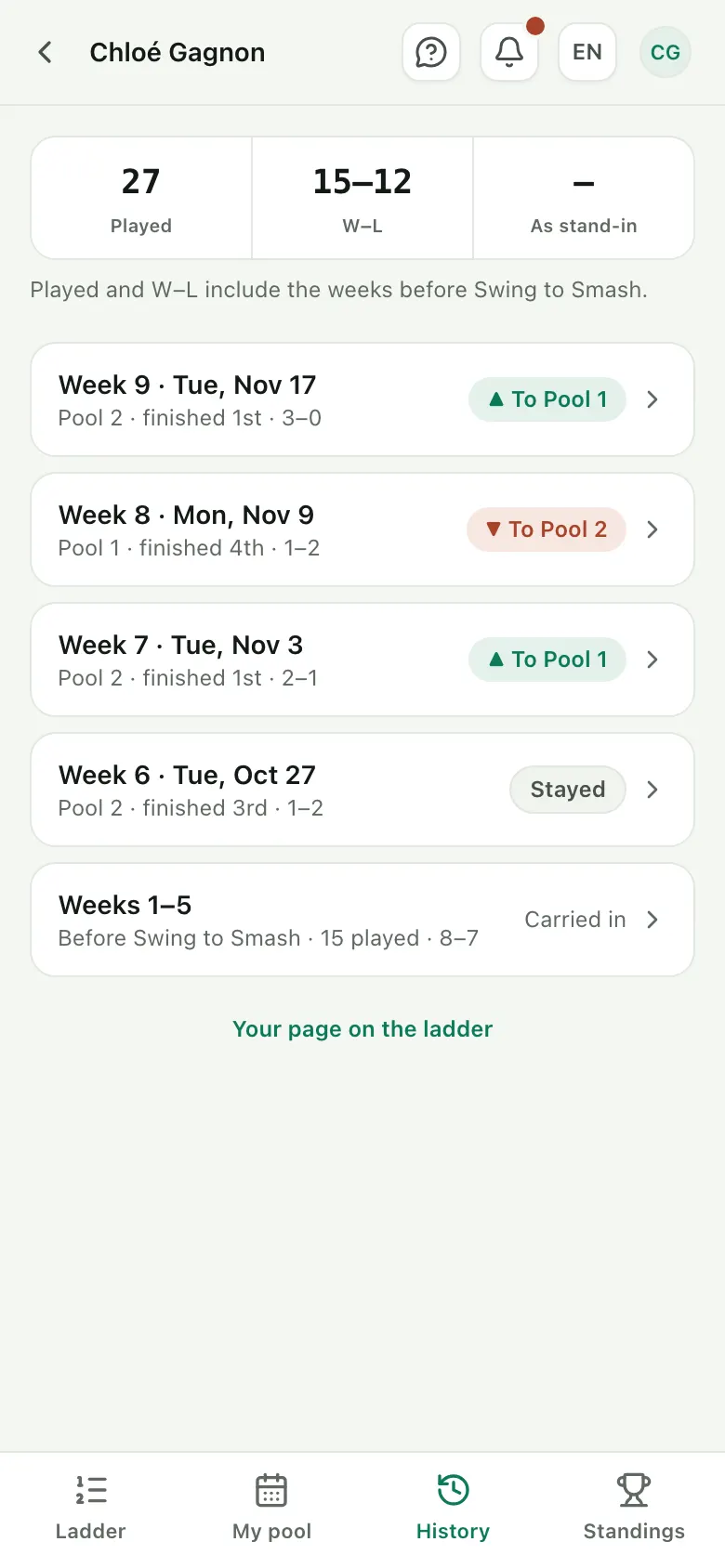
8 Look back on your season
Every week you played, each linked to its week's page, with the weeks before the ladder moved here.
Ready to play?
Player accounts are always free. Find a ladder on the home page, or ask your club for its link.
Desk
What the desk sees on a pool night, on a phone: check-in, stand-ins and scores. Pools can run without a desk too: the players enter their own results.
Check-in
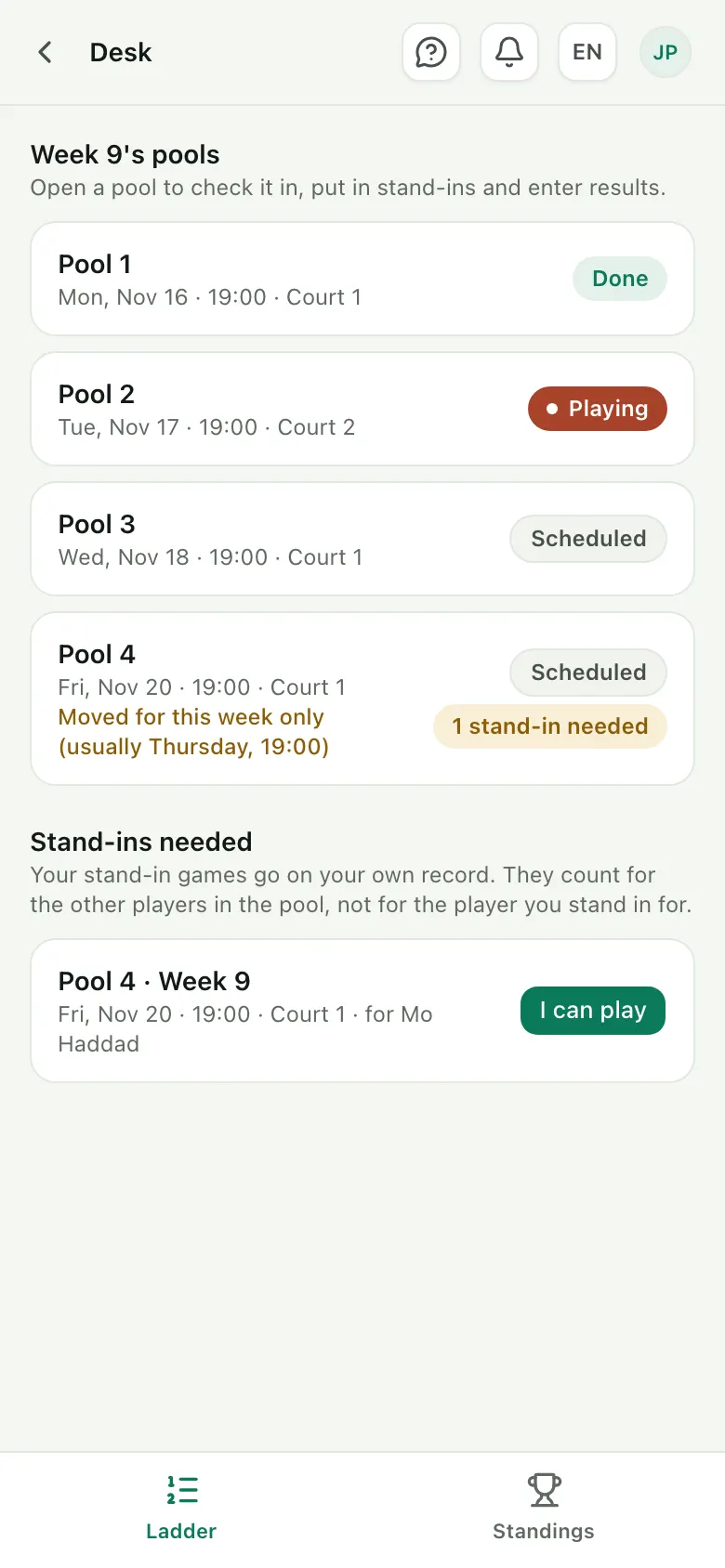
4 steps1 Open tonight's pool
This week's pools, with their nights, status and any stand-ins still needed.
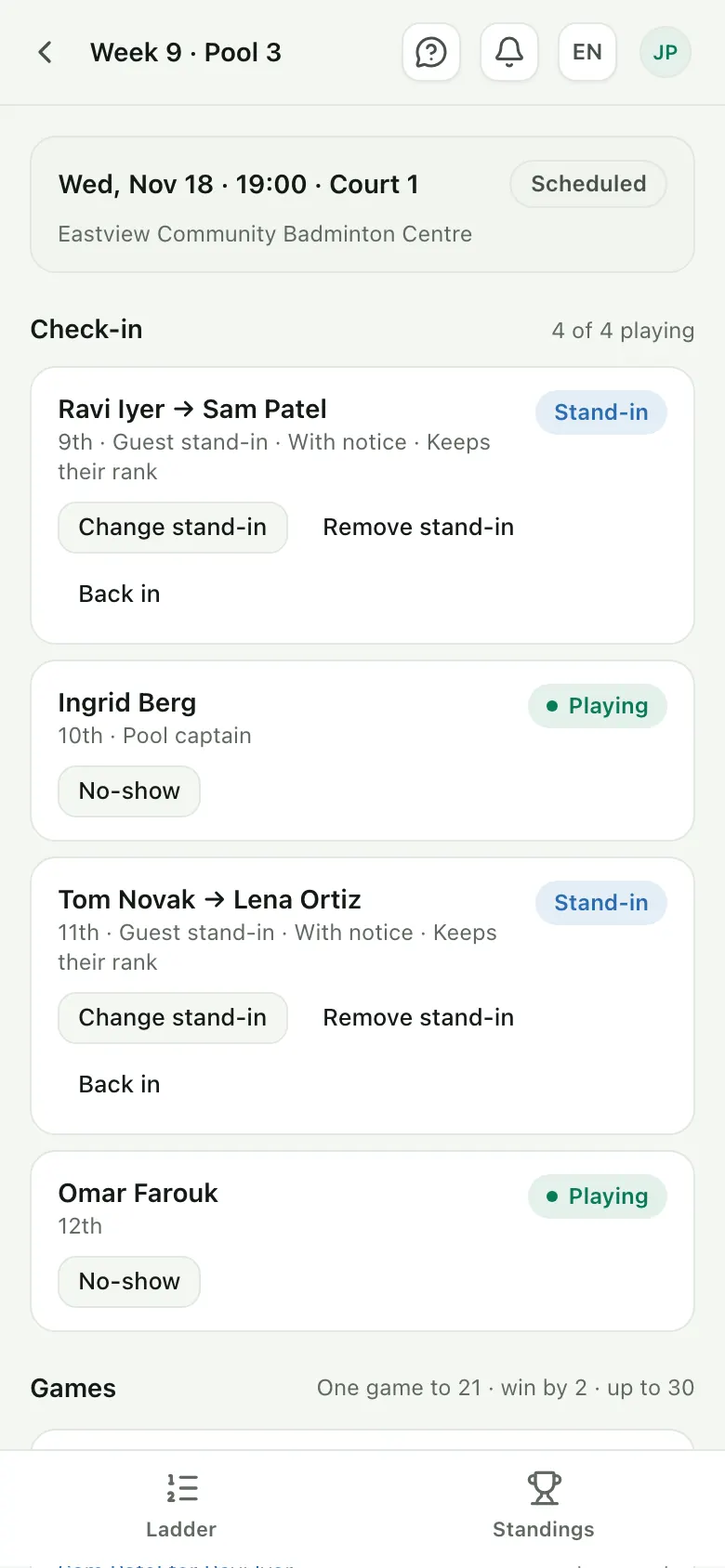
2 Check the pool in
Who's playing tonight: the regulars, their stand-ins and the pool captain.
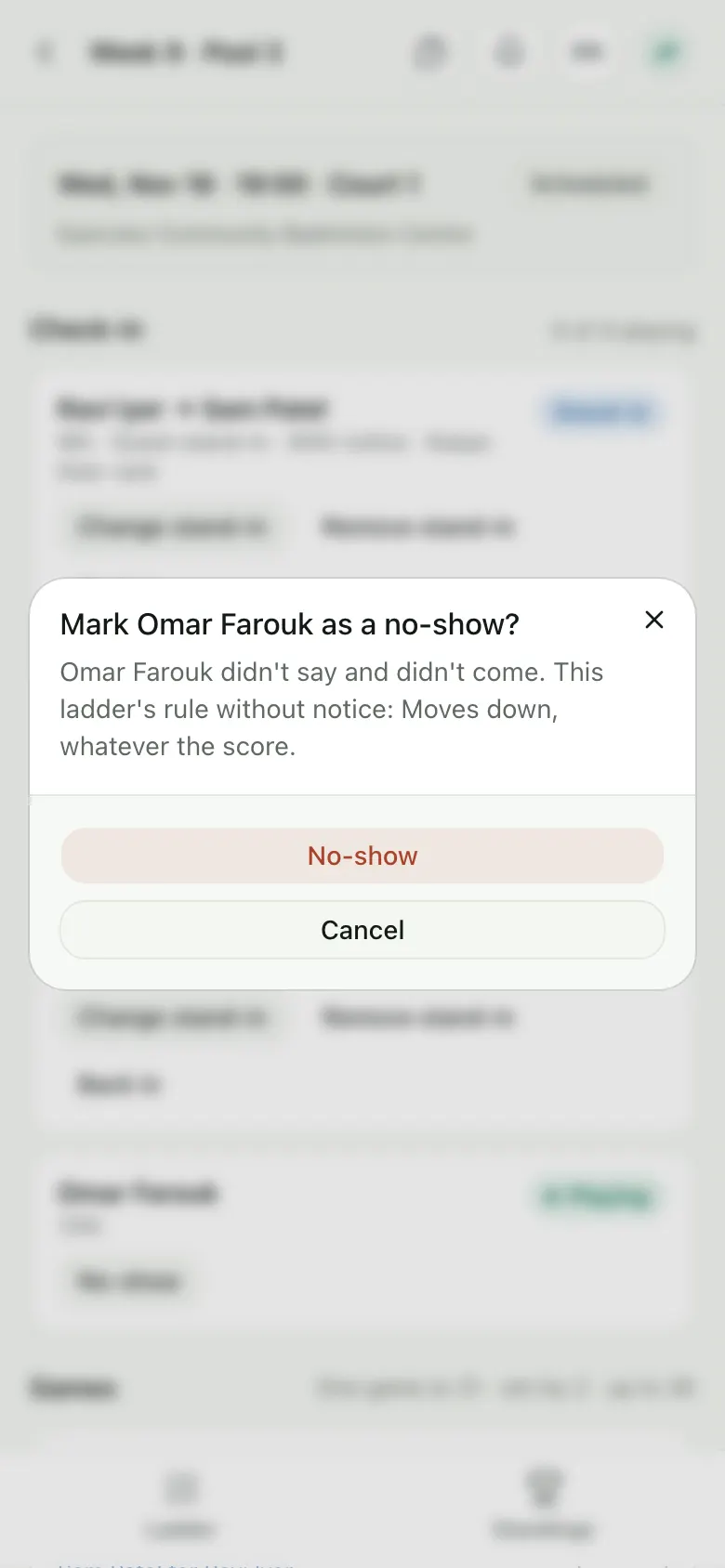
3 Call a no-show
Someone didn't say and didn't come? Mark them as a no-show. The ladder's rule says what that means for their rank.
4 Pull up a stand-in
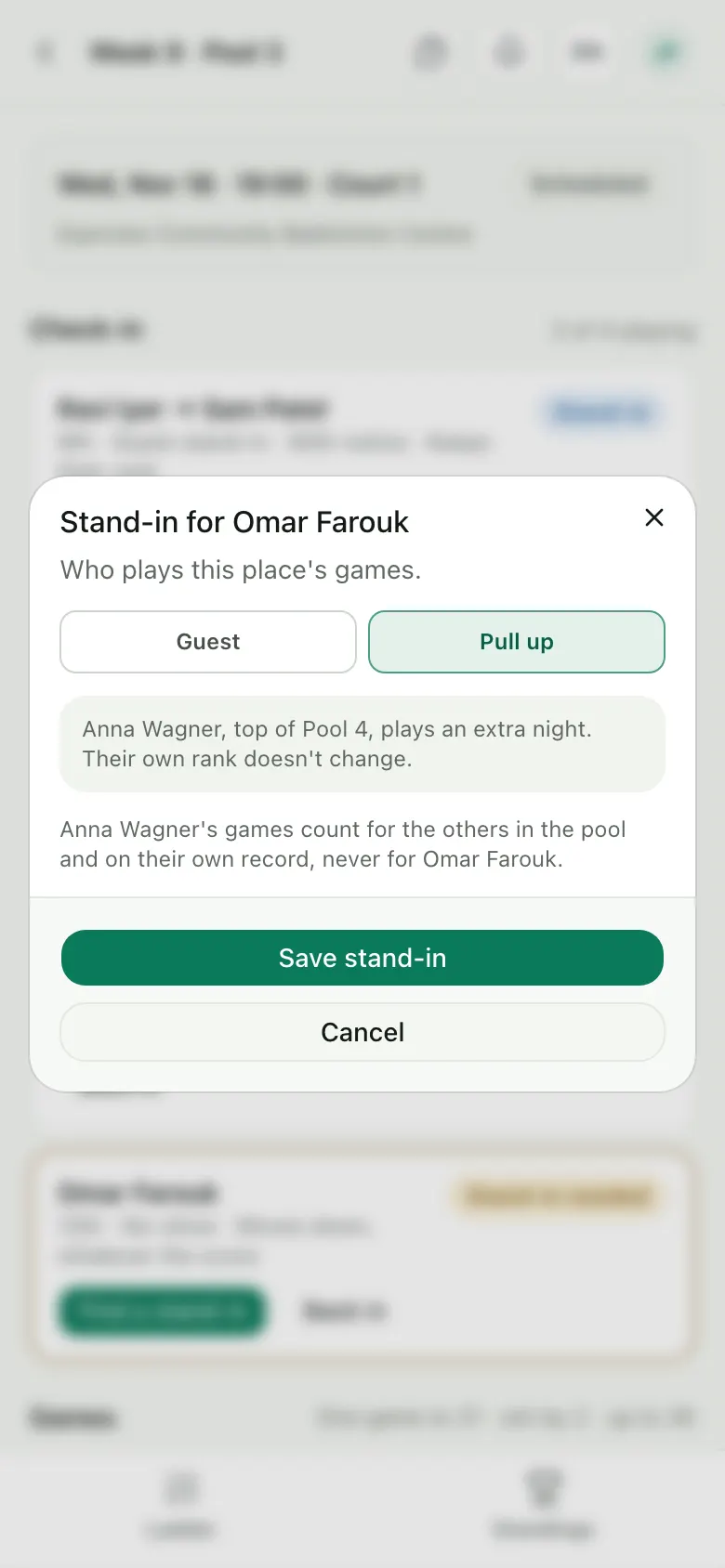
Fill the place with a guest, or pull up the top player of the pool below for an extra night. Their own rank doesn't change.
Score
2 steps5 Enter the games
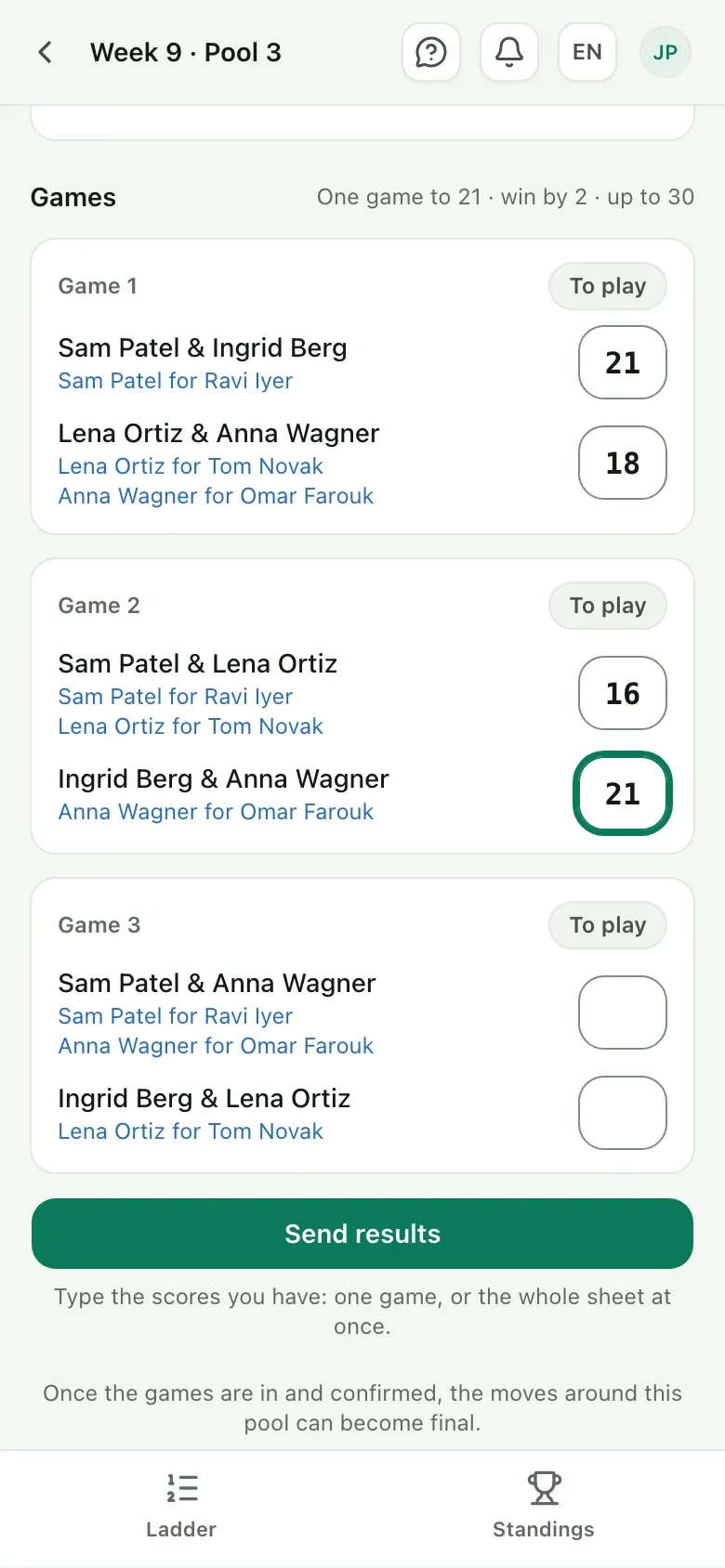
Type each game's score as it ends. Results from the desk count as confirmed.
6 Finish the pool
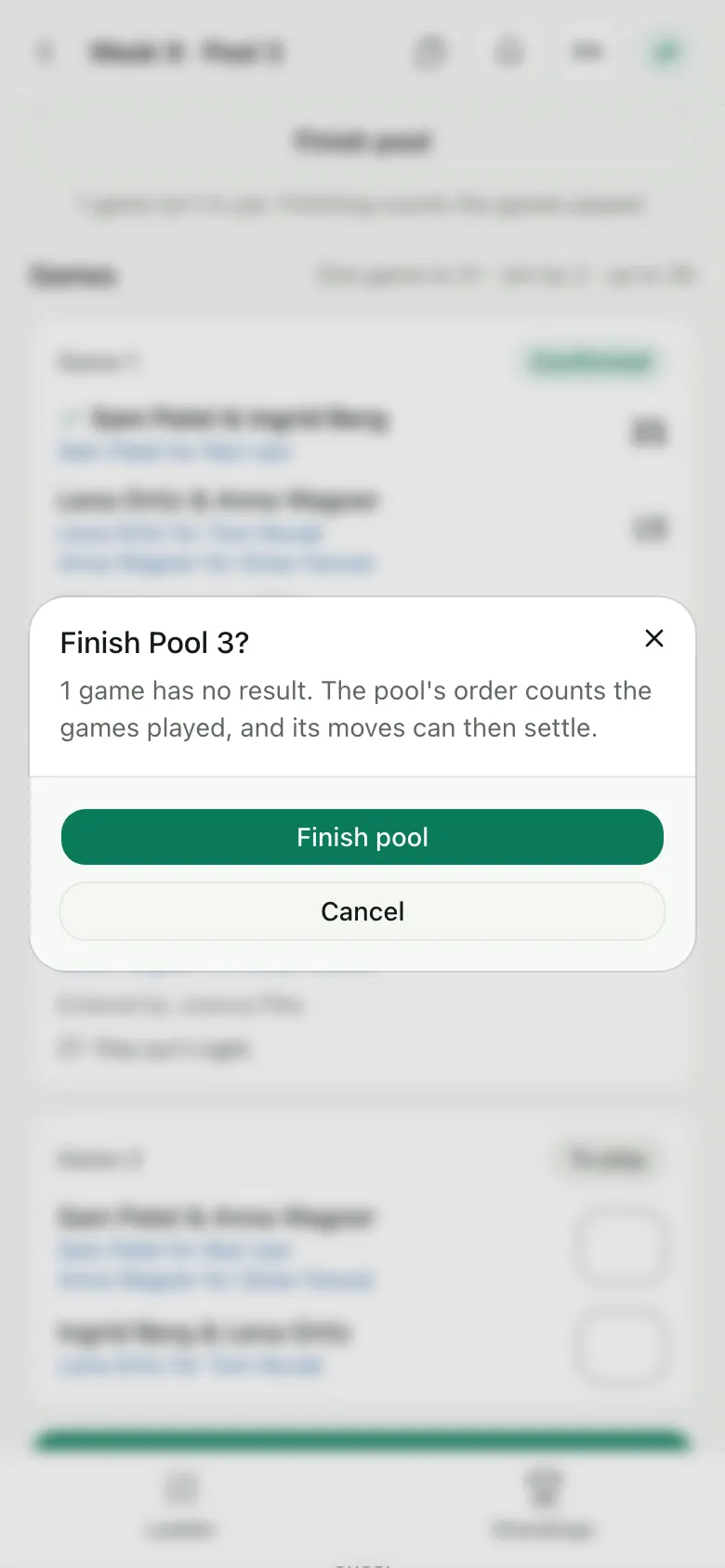
Out of court time? Finish the pool with the games played: its order is set, and its moves can settle.
Need a desk?
Invite whoever runs the desk from Staff once your ladder is set up. They sign in with a free account and get the pool nights.